Art Style Database: Find a Look, Understand Its Context
Explore art movements, techniques, media and visual ideas for learning and AI image-making. Find an image that interests you, open its entry, and turn its defining features into choices of your own.
Three ways to explore by eye
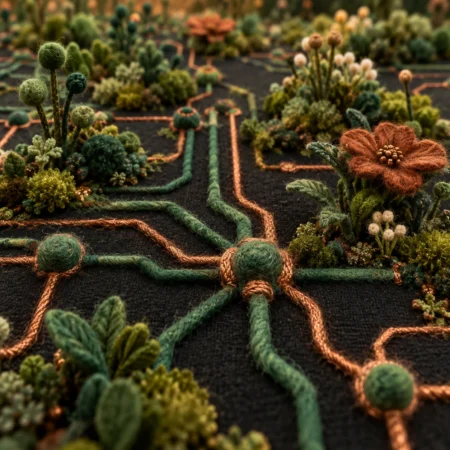
Same curiosity, different ways to browse. Pick the experience that suits you.
Prefer a guided route? Explore the Style Atlas for groups, filters and the searchable collection. For personal essays and experiments, visit Penny’s Art Style Diary.
What do we mean by “art style”?
A style is a recognisable way of organising visual choices—marks, shapes, colour, light, texture and space. It can describe an artist’s work, a shared approach or the appearance of an image. On Art of AI, “style” is also a practical umbrella for the collection, not a claim that every entry is an art movement.
Movement or school
A historical context of artists, ideas and practices. Cubism and Surrealism involve more than a surface effect.
Medium or technique
What is used, or how it is worked. Watercolour describes a painting medium; washes, hatching and relief printing describe methods. They can support many styles.
Aesthetic or visual language
A recurring arrangement of colour, form and texture. Pixel Art, for example, makes the pixel grid part of the image’s construction.
Original AOI concept
An invented set of visual rules for exploration. Treat it as a creative proposal, clearly distinguished from a documented historical movement.
Subjects and cultural references need another distinction. A landscape is what an image depicts; it can be painted in many styles. A country or community contains many traditions, makers and periods. Broad labels are research routes, not single visual recipes.
One technique can cross centuries and movements
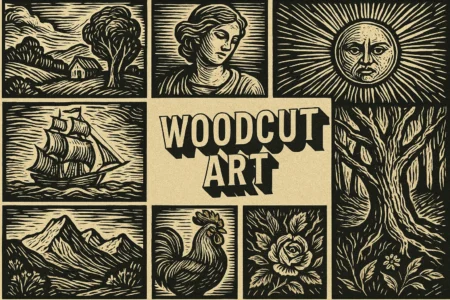
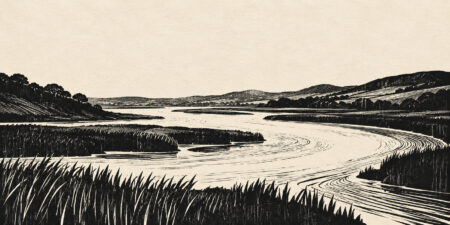
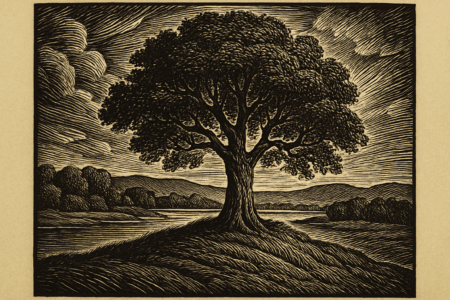
Woodcut prints from the raised surface of a carved block. It appears in Renaissance printmaking and was later adopted by German Expressionists, who explored bold shapes and rough-cut effects. The method connects these works; their composition, purpose and historical context distinguish them. See Escher in The Palace’s technique guide and MoMA’s account of Expressionist woodcuts.
Technique, appearance and meaning are related, but not interchangeable. An AI image can suggest carved edges or transparent washes without using wood or paint. Describe it as a visual interpretation; use the entry’s context and sources to understand the actual practice.
Start with one visual decision
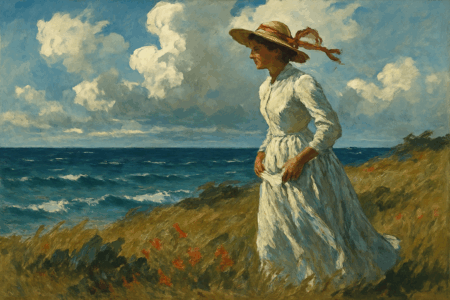
Try Impressionism for light and broken brushwork, Cubism for overlapping planes, or Pixel Art for a visible grid. Keep the subject fixed so the differences are easier to see.
Turn looking into a useful prompt
Subject + composition + medium or style + visible qualities + constraints. Name what matters instead of stacking style labels.
Try a short prompt example
“A quiet riverside café at dawn, two empty chairs in the foreground, loose painted brushwork, pale blue shadows and warm reflected light; a restrained palette, no lettering.”
This is an untested creative brief. Adapt it to your tool, compare the result with your intention, and change one choice at a time.
Questions about the collection and its use
Are all entries established art movements?
No. This collection also includes media, techniques, aesthetics, subjects and original AOI concepts. Read an entry’s classification and sources before treating its name as a historical term.
Which browsing route should I use?
Choose Lookbook for one-at-a-time discovery, Art Stream for a moving gallery, or Grid Explorer for spatial browsing. Use the Style Atlas for grouped routes and filters, and the A–Z directory for titles.
How do I find a particular name?
Use the site search for a known term or the Atlas to explore categories and tags. This directory is split across numbered pages. Your browser’s Find command searches only the page currently loaded.
Why can one entry appear in several categories?
An image can be described in several ways: material, method, historical context, subject and visual treatment. Overlap is useful. Categories are browsing aids, not mutually exclusive boxes.
Can a technique belong to more than one movement?
Yes. A technique can travel between artists, periods and movements. Woodcut describes a printing process; Renaissance and Expressionist uses of it have different contexts. A process alone does not determine the finished style.
Why include invented AOI styles?
They are experimental visual recipes: a way to test a combination of form, light, texture or composition. They should be identified as original or fictional concepts. Their inclusion does not establish historical recognition, universal novelty or a trained model feature.
Do the pictures show original historical artworks?
The collection uses AI-generated visual interpretations alongside any individually credited material. Check each caption and source. A generated image is neither evidence of a historical artwork nor proof that a physical technique was used.
Which style should a beginner try first?
Keep one simple subject—a cup, a tree or a street corner—and compare three treatments: loose painted marks, geometric shapes and a visible pixel grid. Notice what changes in colour, edges and space.
How do I use an entry with an AI image generator?
Read its visual traits, then describe the ones you want. Use subject + composition + medium or style + visible qualities + constraints. A model may not recognise an uncommon or invented name; explain the visual rules instead.
Can I mix styles?
Yes. Give each influence a job: watercolour-like washes for colour, pencil lines for structure. Choose a dominant treatment. If the image becomes confused, remove one instruction and compare again.
Will the same prompt work in every tool?
No. Models, versions, settings and randomness affect the result. Examples are creative starting points, not guarantees. Record the tool and settings when comparing outputs, and change one major choice at a time.
Are favourites shared between the browsing tools?
Do not assume so. The Lookbook keeps its selections in your browser, and Atlas bookmarks are separate. Use each tool’s own save or export controls where available; browser-local choices are not an account backup or automatic device sync.
Why do the tools sometimes show different totals?
The visual tools may use separately refreshed collection snapshots. Publication, revision and refresh dates can differ. Check each tool’s build information where shown; a larger total is not a quality ranking.
Is the collection complete or equally detailed throughout?
No. It is a growing, revised working collection, with overlapping labels and entries at different stages of development. For historical research, follow the cited museum and scholarly sources.
Can I reuse an image or use a cultural tradition in a project?
An entry is a research starting point, not a blanket permission. Check the particular image’s credit and terms, your image tool’s terms, and the needs of your project. For cultural traditions, identify the specific community, period and practice; a national or regional label is not one interchangeable look.
How can I suggest a correction?
Send the entry URL, the point to correct and a reliable source through the site’s email link. For an image mismatch, explain which visual feature is misleading. Specific evidence makes a correction easier to assess.
 A⊕I · The Art of AIA WORLD OF VISUAL POSSIBILITIES

THE LIVE STYLE ATLAS
One atlas.
Countless ways of seeing.
Follow visual routes. Explore categories and tags. Find new styles, revisit updated guides and save your next idea.
Explore the Style AtlasBrowse the full art style directory A–Z
Open a title or thumbnail to read its entry. Use the numbered navigation or Next Page above and below the grid to browse the rest of the directory.