A⊕I · The Art of AI / A tool of explorAItion

The Art Style
Lookbook

Find the styles you didn’t know you were looking for.

An image-led journey through 1,463 published styles. Follow a colour, a texture or a feeling. Discover its name. Keep what speaks to you.

Jump to the colourful frame below — that’s your lookbook.

  • Six visual themes
  • No account needed
  • Your choices stay in your browser

The interactive experience

The lookbook is right here.

1 Open the book below.2 Browse with ← →.3 Like what speaks to you.

A⊕I · The Art of AIThe Art Style Lookbook

Opening the collection…

A⊕I · The Art of AI – The Lookbook of Styles, another tool of explorAItionBuild information loading…
← → browse · ↑ ↓ choose · O open · S share

A little direction. Plenty of room to wander.

Let your eye lead.
Find your own visual language.

The lookbook turns the Art of AI style collection into a place to browse by feeling. It connects that first visual impression with names, descriptions and full articles, so inspiration has somewhere to go.

01 / MAKE

For artists, designers
and image-makers.

Look for a direction for your next image, mood board or creative brief. Compare treatments of light, shape, texture and composition. Save the approaches you want to investigate.

02 / LEARN

For learners, teachers
and curious minds.

Put names to things you notice. Open an article to look beyond its images, read the context and follow its sources. You can start without knowing the vocabulary.

03 / WANDER

For anyone who likes
looking at things.

You do not need a project or a trained eye. Take a few minutes, follow a surprise, and discover what you respond to. There is no correct collection to end up with.

Make it yours

Four small moves.
A very personal journey.

Go slowly when something catches you. Move quickly when you are exploring. Both belong here.

  1. Open a book. Or change the view.Start with the whole collection, or narrow it with categories and tags. Pick one of six presentation themes. Compact view keeps the images and names close together.
  2. Follow the images.Use Previous/Next, the left/right arrow keys, or click the free left/right half of a spread. Shuffle for another route. The main image opens its article; the style title opens information and a quick webpage preview.
  3. Notice your yes and your no.Like and Dislike keep you on the current style. Click again to return to neutral. Open the liked/disliked strips from the menu to see your choices together.
  4. Take something away.Use My selections to revisit and clear choices. Share a style with S, open it with O, copy links or download JSON/CSV. No account is required; selections stay in this browser until you explicitly export or share them.

Try a different way through.

  • Follow a colour
  • Compare textures
  • Explore one category
  • Revisit a dislike
  • Trust the next shuffle

Why explore here?

A particular collection.
A personal way of seeing it.

What makes this Art of AI tool distinctive is the combination: a broad published collection, different visual presentations, shuffled discovery, private preferences and a short path from each image to its article.

Many ways to look

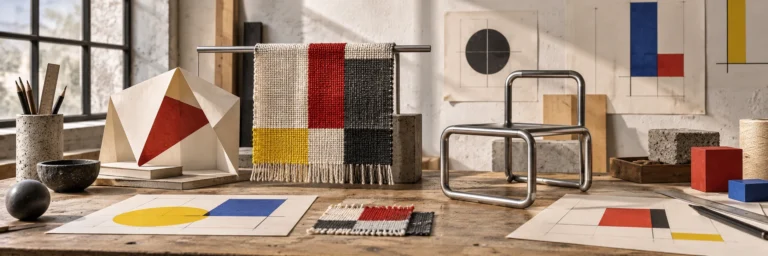
From quiet exhibition paper to glitch, Brutalism, Retro, Constructivism and Swiss Style. Change the presentation without losing your place.

Room for surprise

A new shuffle changes your route. Filters help you focus, while the unfiltered book leaves room for styles you would never think to search for.

Your taste, your collection

Likes and dislikes belong to your browser. They are a personal reference, not a public vote or a popularity ranking.

Context within reach

Names, published summaries, categories, tags and full articles help turn “I like that” into something you can describe and explore further.

An evolving Art of AI tool

Made for this collection.
Open to your discoveries.

The Art Style Lookbook was created for Art of AI and first published on 27 October 2026. It was built as a dedicated browser experience around the site’s published WordPress art-style collection, with themes, image navigation and personal selections developed together.

It continues to evolve. Releases refresh the collection and improve the experience; the footer shows the current build, date and number of styles. The images are visual interpretations. Use each article for context and sources.

One image can be enough
to start something.

Open the lookbook