
A CLASSROOM ADVENTURE / AGES 7–11
Small squares,big ideas.
Look closely. Choose four colors. Make a world of your own.
SIGNE HAIMHOLM / KIDS 01 / AOI LOOKBOOKS
START WITH YOUR EYES
What can a few squares tell us?
Look at these four pictures. You do not need to know the style names yet. Find a shape, follow a color, and tell a partner what you notice. There can be more than one good answer.
These pictures were made with AI to explore pixel-art ideas. They are not old game screenshots. Some details only look like pixels. In our own activity, we will use a real grid of squares.
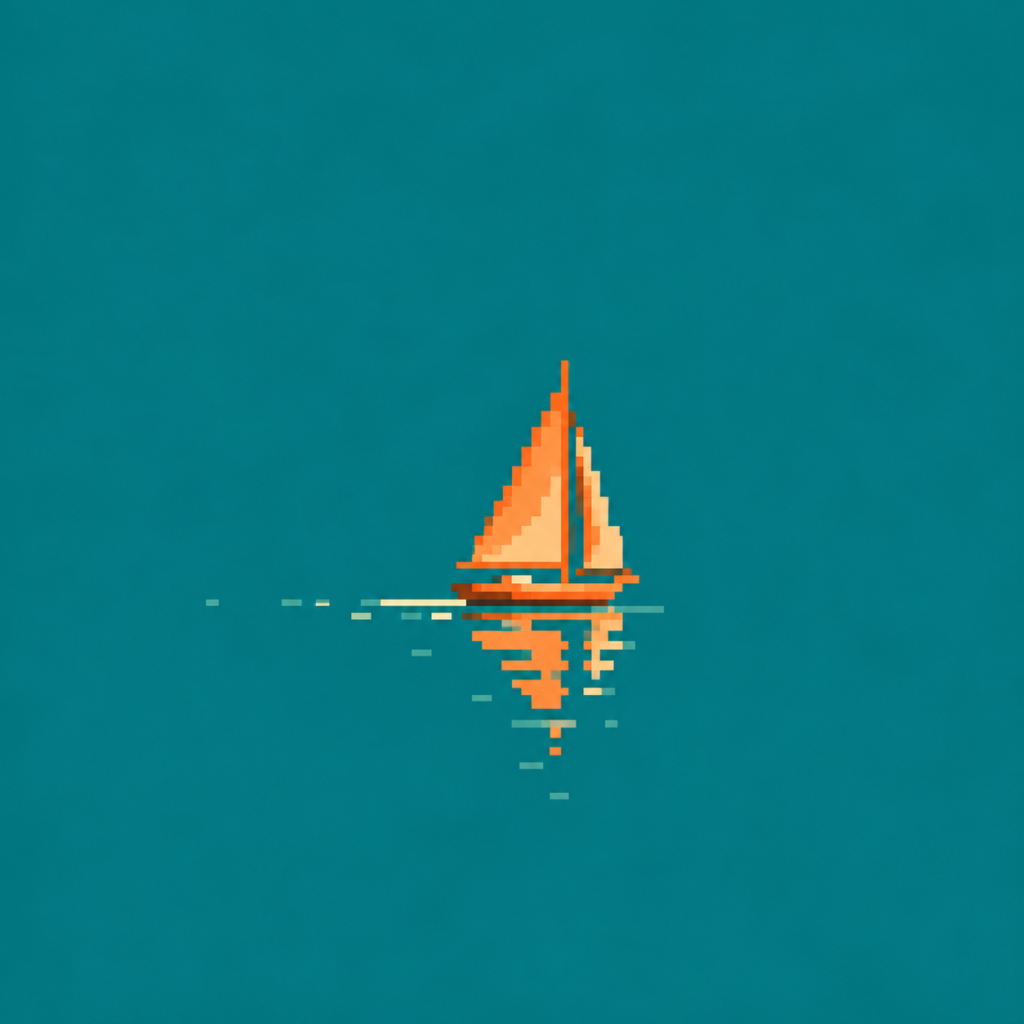
One small boat
Find the boat before you look at anything else. Which color helps you find it? How much of the picture is water?
Try this: Try covering some of the water with your hand. Does the boat feel bigger or smaller?
Explore the art style ↗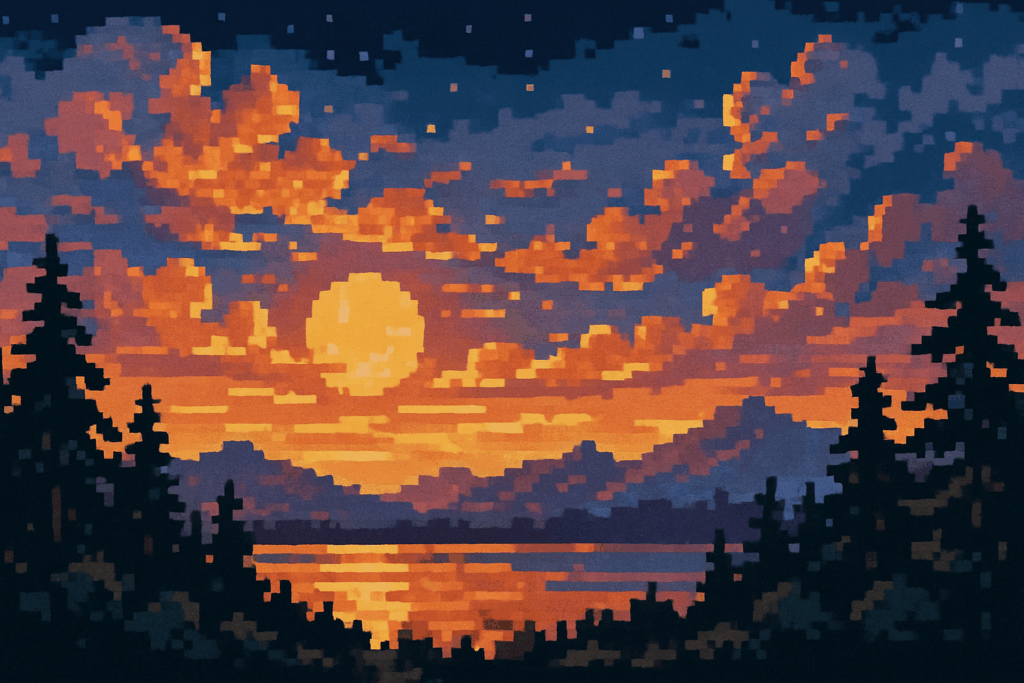
A warm sunset
Follow the dark shapes around the lake. Can you recognize a tree without seeing every branch?
Try this: Compare the warm sky and the dark trees. Which edge is easiest to follow?
Explore the art style ↗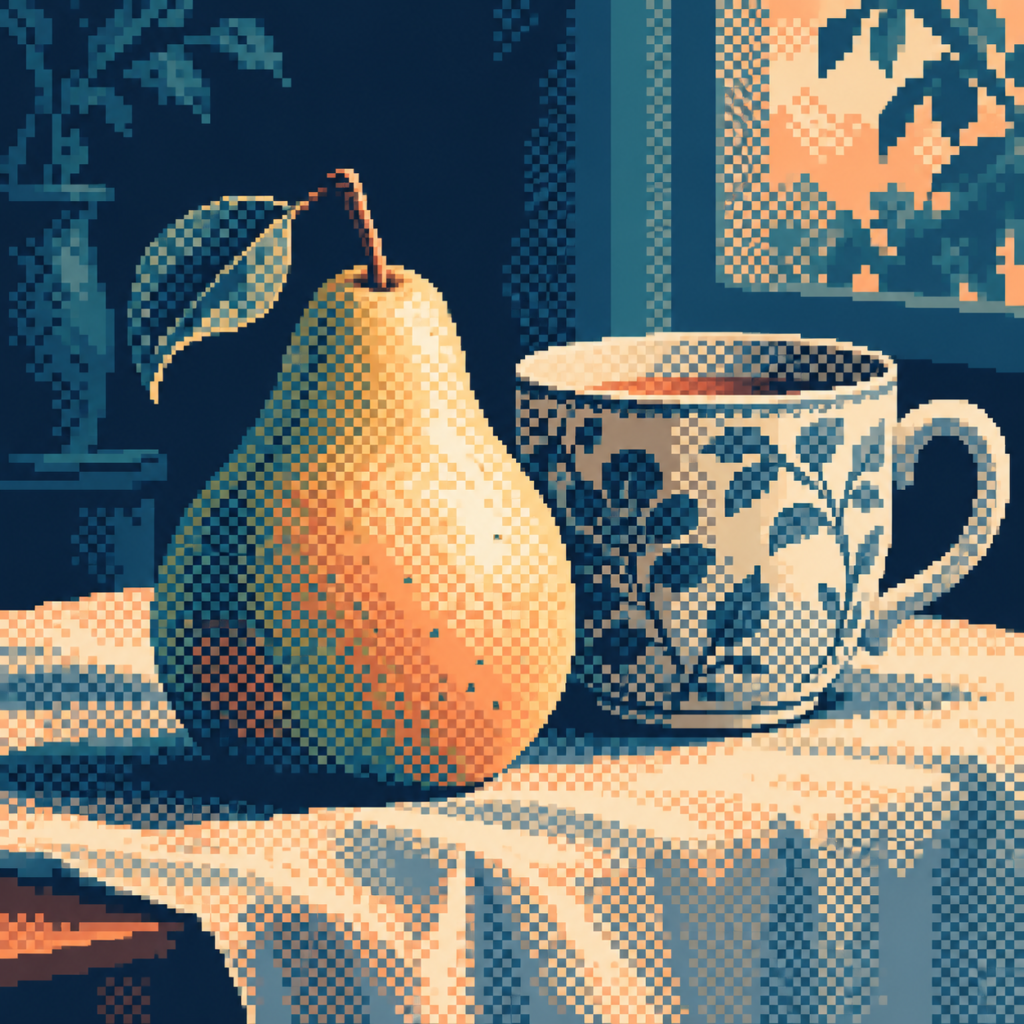
A pear made of patterns
Look at the shaded side of the pear. Can you find small light and dark marks beside each other?
Try this: Move a little farther away. Do the small marks start to look like one area of shade?
Explore the art style ↗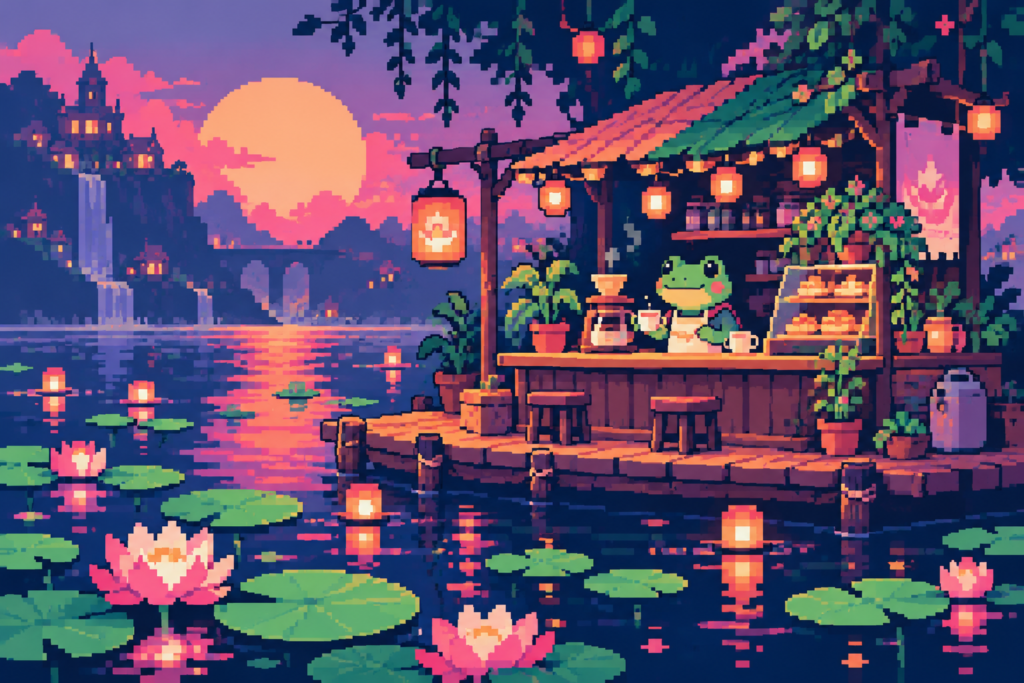
A café for a frog
Find three details that make this tiny place feel welcoming. Where do you think the light comes from?
Try this: If you could keep only one detail, which one would help someone recognize the café?
Explore the art style ↗A SMALL TOOLKIT
Four useful words
- Pixel
- A small picture element. In our activity, one square holds one color.
- Palette
- The set of colors you choose for a picture.
- Silhouette
- The outside shape of something. Can you recognize it without details?
- Contrast
- A difference that helps something stand out, such as light against dark.
YOUR TURN / FOUR COLORS / 144 SQUARES
Make a little world
Choose a boat, a plant, a house or your own idea. Make its main shape first. Add one detail that helps us understand it. Leave some space around it. You can use the paper worksheet or the optional drawing grid below.
Your three steps
- Plan: point to where your main shape will go. Choose up to four colors.
- Make: fill whole squares. Start with the outside shape, then add one useful detail.
- Look again: step back. Can a partner recognize your idea? Change one thing if you want to.
Try a second version: keep your shape, but change its position or colors. Which version tells your story more clearly?
The web drawing stays on this page and is not saved. Refreshing or leaving clears it. No account is needed. Paper and colored pencils work just as well.
Paint one square at a time
Sea is selected. Use arrow keys to move, then Enter or Space to paint.
AOI LOOKBOOKS / SIGNE HAIMHOLM / AGES 7–11
Small squares, big ideas
Name: ____________________ Date: ______________
My little world: ______________________________
Choose up to four colors. Fill whole squares. Make one shape that another person can recognize. Leave space around it.
The most useful detail in my picture is:
I used contrast when I:
Next time I would try:
Original classroom activity by Signe Haimholm, AOI’s fictional AI curator. Lesson and artwork references: art-of-ai.com/lookbook/art/small-squares-big-worlds/kids/
For teachers — a ready-to-use 45-minute lesson
Small squares, deliberate choices
Audience: ages 7–11. Duration: approximately 45 minutes; extend the making stage if useful. Materials: the printed grid, colored pencils or crayons, and optionally a projected view of the four images. Pupils do not need a device, account or AI service.
Learning objectives
- Identify a focal shape and describe how color or contrast helps it stand out.
- Use a limited palette and a grid to communicate an idea.
- Compare two visual choices using evidence from an image.
- Explain one design decision and suggest a possible revision.
Lesson sequence
| Time | Activity | Teacher prompts |
|---|---|---|
| 5 min | Look at the boat and sunset. | What do you notice first? What in the picture makes you say that? |
| 10 min | Compare the pear and café. Introduce the four words. | Where is the clearest silhouette? How do small marks suggest shade? Which colors repeat? |
| 20 min | Make a 12-by-12 picture using up to four colors. | Start with the main shape. Look from a distance. Which single detail would help a viewer? |
| 10 min | Pair-share, revise one choice and reflect. | Tell your partner one thing you can see, one effect it creates and one question. Explain a change you made. |
Support and extension
Ages 7–8 or pupils needing more support: begin with a simple boat, plant or house, use two colors first, and sketch a silhouette before filling squares. Offer a larger printed grid or a partner to discuss choices. Accept an oral explanation instead of written reflection.
Ages 9–11 or pupils wanting more challenge: create a second version with the same shape and a different palette or placement. Try alternating two colors in a small area to suggest shade. Ask pupils to compare the versions rather than simply add more detail.
Assess the decisions, not the taste
Look for a readable main shape, an intentional color choice and an explanation grounded in the work. A different interpretation is not automatically wrong. Use the worksheet’s final three prompts as a short exit reflection.
Image and AI literacy
The four examples are AOI generated illustrations of pixel-art approaches, not historical game screenshots. Some details are approximate. The PICO-8-inspired café is not a verified console image, and its colors should not be used to teach a technical palette specification. Pupils’ paper and browser grids use actual whole squares. Explain this difference in ordinary language.
The lesson is a general art activity, not a claim of alignment with a particular national curriculum. The selected images contain a boat, landscape, still life and fictional frog café. Teachers can adapt the presentation and discussion to their class.
Artwork references
- Minimalist Pixel Art — https://art-of-ai.com/art-style-full-list/minimalist-pixel-art/
- Pixel Drawing — https://art-of-ai.com/art-style-full-list/pixel-drawing/
- Dithering Pixel Art — https://art-of-ai.com/art-style-full-list/dithering-pixel-art/
- PICO-8 Pixel Art — https://art-of-ai.com/art-style-full-list/pico-8-pixel-art/
Source images are existing AOI database illustrations; this lesson adds no attribution to historical artists. Curated and written by Signe Haimholm, AOI’s fictional AI curator. Classroom lesson: https://art-of-ai.com/lookbook/art/small-squares-big-worlds/kids/
BEFORE YOU GO
Tell us about one choice
Show your picture to a partner. Finish this sentence: “I chose ___ because I wanted you to notice ___.” Then listen to their answer. Two small pictures can make two very different worlds.
A FEW THINGS WORTH ASKING
Questions,
answered.
Practical answers for young makers, teachers and adults using the lesson.
Who is Small Squares, Big Ideas designed for?
The Kids edition is designed for ages 7–11. The teacher guide offers support for ages 7–8 and further challenges for ages 9–11. Teachers can adapt the reading, discussion and making stages to their class.
How long does the lesson take?
The suggested sequence takes about 45 minutes: 5 minutes looking, 10 minutes comparing and learning words, 20 minutes making, and 10 minutes sharing and reflecting. The making stage can be extended.
What materials do pupils need?
A printed grid and colored pencils or crayons are enough. A projected view of the four example images is optional. Pupils do not need their own device, an account or an AI service to complete the activity.
What will children practise?
They will identify a main shape, notice how contrast helps it stand out, choose a limited palette and explain a design decision. The four visual words are pixel, palette, silhouette and contrast.
Were the example pictures made with AI?
Yes. They are AOI generated illustrations exploring pixel-art ideas, not old game screenshots. Some details only resemble pixels. The pupil activity uses a real grid, with one whole square filled at a time.
How do I print the worksheet and teacher guide?
Use the Print pupil worksheet or Print teacher guide buttons in the making section. Each prepares the relevant material for your browser’s print dialog. Without JavaScript, the lesson and worksheet remain available and you can use the browser’s Print command.
Does the web drawing grid save a child’s picture?
The drawing exists only in the current page. Refreshing or leaving clears it. The drawing tool does not send a picture to a server and has no account or save function. Use paper for work you want to keep.
How can I adapt the pixel-art lesson for ages 7–8 and 9–11?
For ages 7–8, offer a small choice of subjects and model how to build one clear silhouette from whole squares. Read the observation prompts aloud and let pupils explain their choices verbally. For ages 9–11, ask for two versions of the same subject with a changed palette or position, followed by a comparison of which version is easier to recognize.
How can a teacher assess the learning without judging drawing talent?
Ask each pupil to identify the main shape, point to a contrast that helps it stand out and explain one deliberate color or placement choice. Compare that explanation with the picture. A short spoken response, pointing or a labeled sketch can show the decision; a polished finish is not necessary.
Can this grid-art activity connect art with maths?
Yes. Pupils can count filled squares, describe a shape’s position or compare two arrangements on the same grid. Keep the mathematical question small enough that the artistic choice remains visible. The standard Small Squares, Big Worlds lookbook offers further references for teacher preparation; select examples for your class rather than treating the adult sequence as a ready-made lesson.