Field of practice · images, systems and experiences
Explore digital art across painting, pixels, 3D, code, moving images and interaction, with documented works, practical guidance and contrasting visual studies.
A visual introduction
Five new AI-generated teaching images compare painterly, sculptural, pixel-like, geometric and procedural-looking approaches. They illustrate possibilities rather than certify production methods. Two earlier images remain as archive comparisons.
Select an image for a closer look. Use the thumbnails, arrow keys or a swipe to compare examples. Zoom in to inspect details, or share the image that inspires you.
Creative toolbox · take this style further
Choose an input and a destination. Search sends your words to the chosen site; Copy & open puts them on your clipboard to paste there.
Create with AI
Turn your chosen input into an image prompt or a new creative direction.
ChatGPT
Copy your input and paste it into a ChatGPT conversation or image request.
Copy & open ChatGPT (new tab)Claude · Anthropic
Develop an image prompt or explore the style in a new Claude conversation.
Copy & open Claude · Anthropic (new tab)Midjourney
Paste your input into the Imagine bar on the Create page.
Copy & open Midjourney (new tab)Adobe Firefly
Copy your input, open Firefly, and paste it into the prompt field.
Copy & open Adobe Firefly (new tab)Leonardo.Ai
Copy your input, open Leonardo, and paste it into the generation field.
Copy & open Leonardo.Ai (new tab)Image search
Find visual references. Short, concrete keywords usually work best.
Lexica
Search AI images and prompts using your selected input.
Search with this input Lexica (new tab)Pexels
Search the photo and video library. Short keywords often work best.
Search with this input Pexels (new tab)Pixabay
Search photos, illustrations and other images.
Search with this input Pixabay (new tab)Unsplash
Search photographs using the style name or your own keywords.
Search with this input Unsplash (new tab)Wikimedia Commons
Search photographs, artworks and historical images. Check each file for its source and reuse terms.
Search with this input Wikimedia Commons (new tab)Art & research
Explore artists, collections and the ideas behind a style.
Wikipedia
Search for background reading. A style may not have its own article.
Search with this input Wikipedia (new tab)WikiArt
Copy your input into WikiArt’s search to explore artists and artworks.
Copy & open WikiArt (new tab)Europeana
Paste your keywords into the search to explore European museum, library and archive collections.
Copy & open Europeana (new tab)Inspiration
Discover portfolios and visual ideas from creative communities.
Instagram hashtags
Search a hashtag made from your input: spaces and punctuation are removed. Instagram may require sign-in.
Search with this input Instagram hashtags (new tab)ArtStation
Paste your input into artwork search for concept art, environments, characters and visual development.
Copy & open ArtStation (new tab)Behance
Paste your input into project search for illustration, design and visual storytelling.
Copy & open Behance (new tab)A closer look
Digital art has no single look: painterly marks, crisp paths, pixel grids, modeled materials, procedural structures and responsive environments support different intentions.
Digital Art: a field of practices, many ways of seeing
Digital art uses digital processes as a significant part of making, presenting or experiencing an artwork. It includes a quietly drawn still life, a computer-controlled line drawing, a modeled sculpture, a moving image, a participatory website and an installation that responds to a visitor. The V&A describes a similarly broad field spanning computational, networked and immersive practices. The common ground is the role of digital systems; there is no compulsory palette, subject or surface. [1, 2]
Ask two questions before judging the appearance: what does the digital process contribute, and what does the audience encounter? A photograph of an oil painting is a digital reproduction of that painting. A work that deliberately edits photographs, combines them with drawing or makes their display responsive involves different artistic decisions. A screen is one possible destination; paper, projection, sculpture, sound and a browser can also be part of the work.
A short history with several beginnings
Computer art developed through different relationships among artists, engineers and institutions. The V&A documents Vera Molnár’s plotter drawing Interruptions (1969), Manfred Mohr’s P-62 (1970) and David Em’s computer-generated image Approach (1975). These examples already move between rule-based line, graphic structure and constructed space. Personal computing and network access later changed who could work with such tools and where work could circulate. This was not a single movement progressing toward one ideal digital look. [1]
Harold Cohen’s AARON offers another route. The Whitney describes software conceived in the late 1960s and named in the early 1970s, developed to generate images for drawing and painting machines as well as screens and projections. Its history matters because art made with programmed systems predates contemporary text-to-image services. Distinguish the artist’s particular system from a generic claim that all computational art uses the same kind of AI. [3]
Drawing, painting, vector and pixel practices
Digital drawing and painting organize strokes, layers, opacity and edges. They can imitate chalk or wet paint, or use marks with no physical equivalent. A convincing study might depend on a few restrained value groups and an uneven contour rather than polished gradients. The important decisions include where a mark starts, which edge stays sharp and how much detail the subject needs.
Vector work uses paths and shapes that can be edited as geometry. It suits a clear silhouette, economical curves, typography and repeated modules, although vector-based images can also become intricate. Pixel art instead makes the discrete image grid an explicit design constraint: clusters, stepped edges and a restricted palette can carry a face or landscape with very little information. A blocky-looking AI image is not automatically a carefully authored pixel grid, just as a smooth illustration is not automatically a vector file.
Photography, collage and constructed space
Digital photographic practice can range from restrained tonal editing to extensively constructed images. Collage and photomontage combine sources through selections, masks, scale changes and juxtaposition. Decide whether the join should disappear or remain visible. A seamless composite needs coherent light and perspective; an intentionally fractured collage may use mismatched scale to make its argument. Credit source material and describe composites honestly when viewers might mistake them for documentary photographs.
In 3D work, the artist can build or sculpt geometry, position a camera, assign materials and arrange light before rendering an image or presenting a navigable scene. A low-poly environment and a highly detailed virtual sculpture are different choices within that practice. Evaluate silhouette, spatial relationships, surface roughness and illumination together. A convincing still does not reveal whether a real 3D scene exists behind it; the source project and process record establish that distinction.
Rules, data, AI and the choices behind an image
Generative practice makes a procedure part of the work: a rule might place marks, vary their orientation, react to sound or evolve a structure. Some systems are deterministic, others use randomness or live input. Generative art is broader than machine learning, and a rule-based work need not use a computer at all. The V&A’s dictionary is a useful starting point for distinguishing algorithms, generative practice and related terminology. [2]
For a coded study, choose one rule and one variable before adding complexity. For example, repeat short strokes on a grid and let their angle respond to distance from a point. Compare three settings while holding everything else fixed. The result becomes easier to understand, critique and reproduce. When real data drives a work, identify the source, time range and transformation; a decorative diagram should not masquerade as measured evidence.
AI-assisted art can involve generation, editing, selection, compositing and further manual work. Record the actual contribution of each stage. A prompt is an instruction, not proof of a depicted material or technique. Judge the final composition as well as the process: inspect repeated forms, accidental lettering, inconsistent geometry and whether an appealing surface serves the intended idea. A generated picture of an interactive installation remains a picture until an actual interactive system is built.
Time, networks, participation and immersive space
Animation and moving-image work add timing, transition, rhythm, sound and duration to composition. A strong frame can still belong to a weak sequence. Check how attention moves, what changes during a loop, and whether the return to the beginning is intentional. Game-based and real-time work add navigation, rules and the possibility that different viewers encounter different sequences.
Net art can make links, network communication or participation central to the artwork. Douglas Davis’s The World’s First Collaborative Sentence (1994), documented by the Whitney, invited contributions to an expanding online work. The museum’s artport, launched in 2001, provides direct encounters with commissioned internet art. A static screenshot preserves only part of such an experience. [4, 5]
Interaction makes the relationship between an action and its consequence part of the work. Rafael Lozano-Hemmer’s Pulse Room (2006) translates participants’ heartbeats into flashing lights and retains previous rhythms in an installation. Its computer-mediated behavior is crucial, even though the audience encounters physical light bulbs. Virtual reality can surround a viewer with a navigable environment; augmented reality can place digital content in relation to physical surroundings. These formats require attention to orientation, duration, access and the visitor’s comfort, not just spectacle. [2, 6]
Visual grammar: choose the decisions that fit the practice
For a still image, begin with hierarchy: one dominant relationship, a supporting rhythm and enough quiet space to separate them. Then choose the behavior of edges. Crisp geometry, stepped pixels, soft painted transitions and photographic detail each direct attention differently. Mixing them works when the change has a purpose, such as letting a hard-edged silhouette emerge from a loose field.
Palette follows the subject and viewing conditions. Muted gray-green and cream can support an intimate painted scene; black and white can reveal a line system; amber and indigo can separate materials in a rendered composition. Saturated neon is one option among many. Test value contrast at thumbnail size and inspect color on the intended display or print. For moving or interactive work, add temporal hierarchy: decide what changes first, how quickly it changes and what remains stable enough to orient the audience.
Reading the new AOI studies
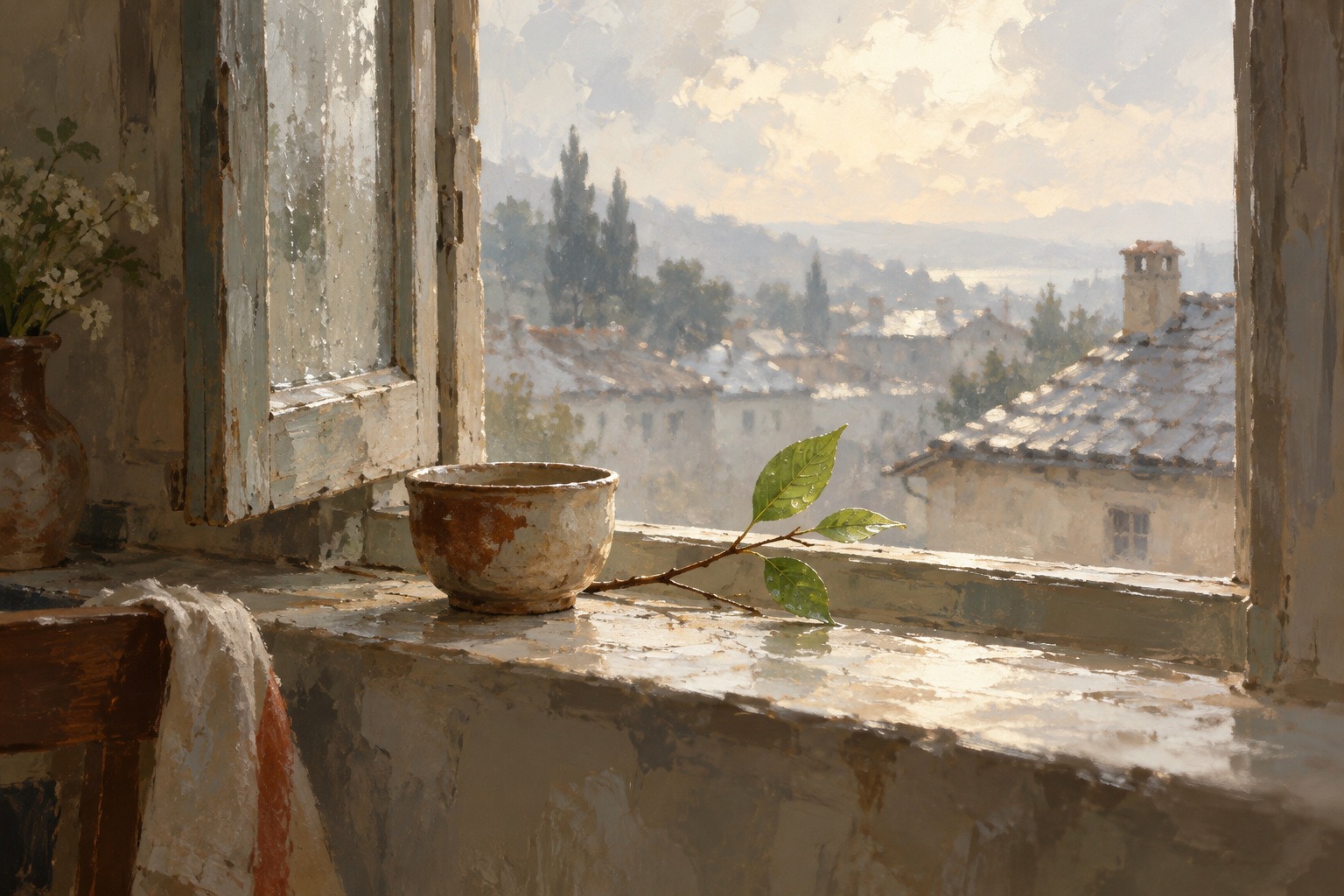
The window study uses a cup, a leafy twig and distant rooftops to explore painterly edges and a subdued palette. Its interest lies in the transition between the comparatively clear foreground and atmospheric distance. This is a generated illustration of a painterly approach, not documentation of a hand-painted layer stack.
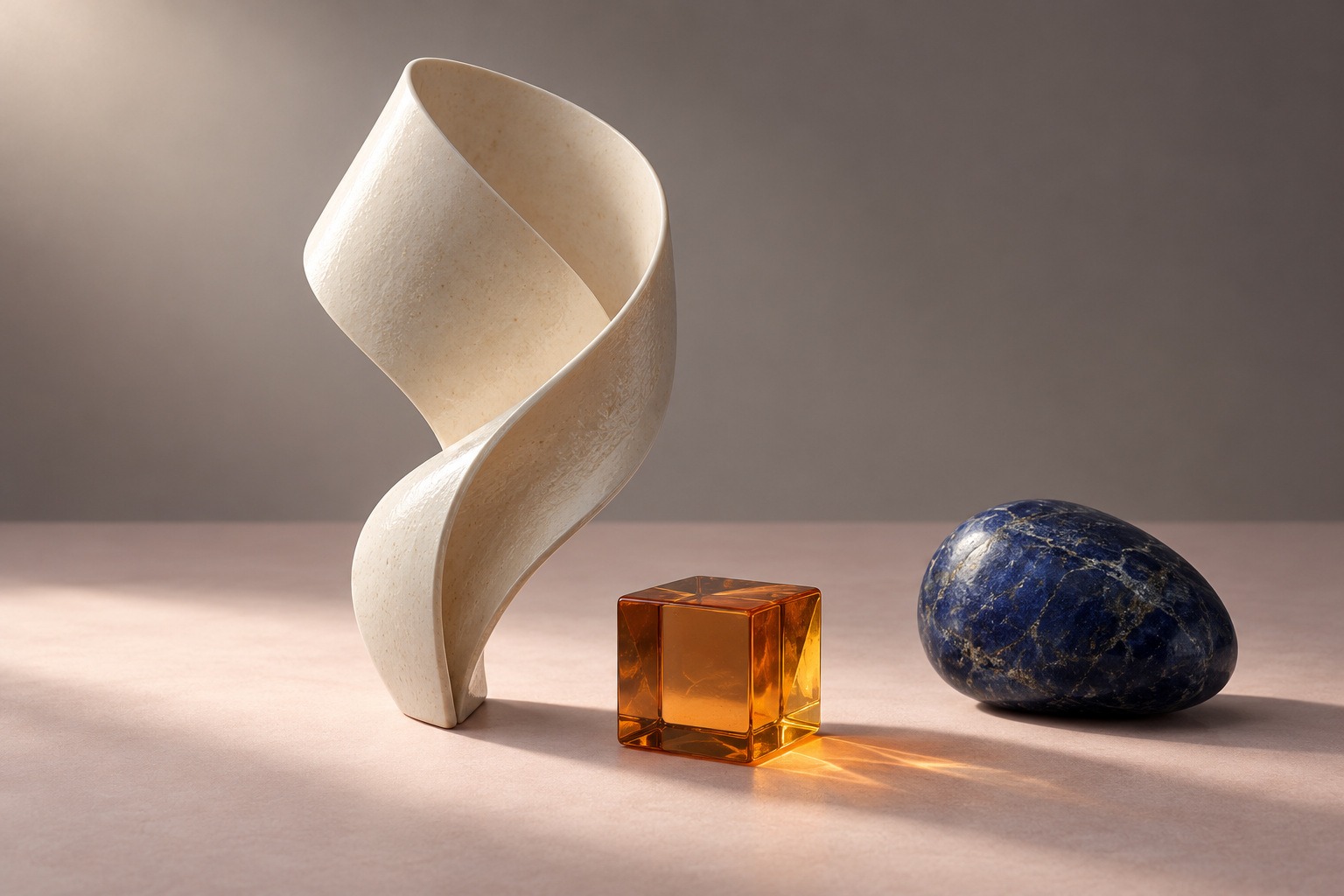
The sculptural study changes the problem to material and space. A pale folded form, an amber cube and a dark blue rounded stone create three distinct silhouettes and surfaces. Compare scale, contact shadows and light passing through the cube. It is a generated concept image rather than a verified render from a supplied 3D model.
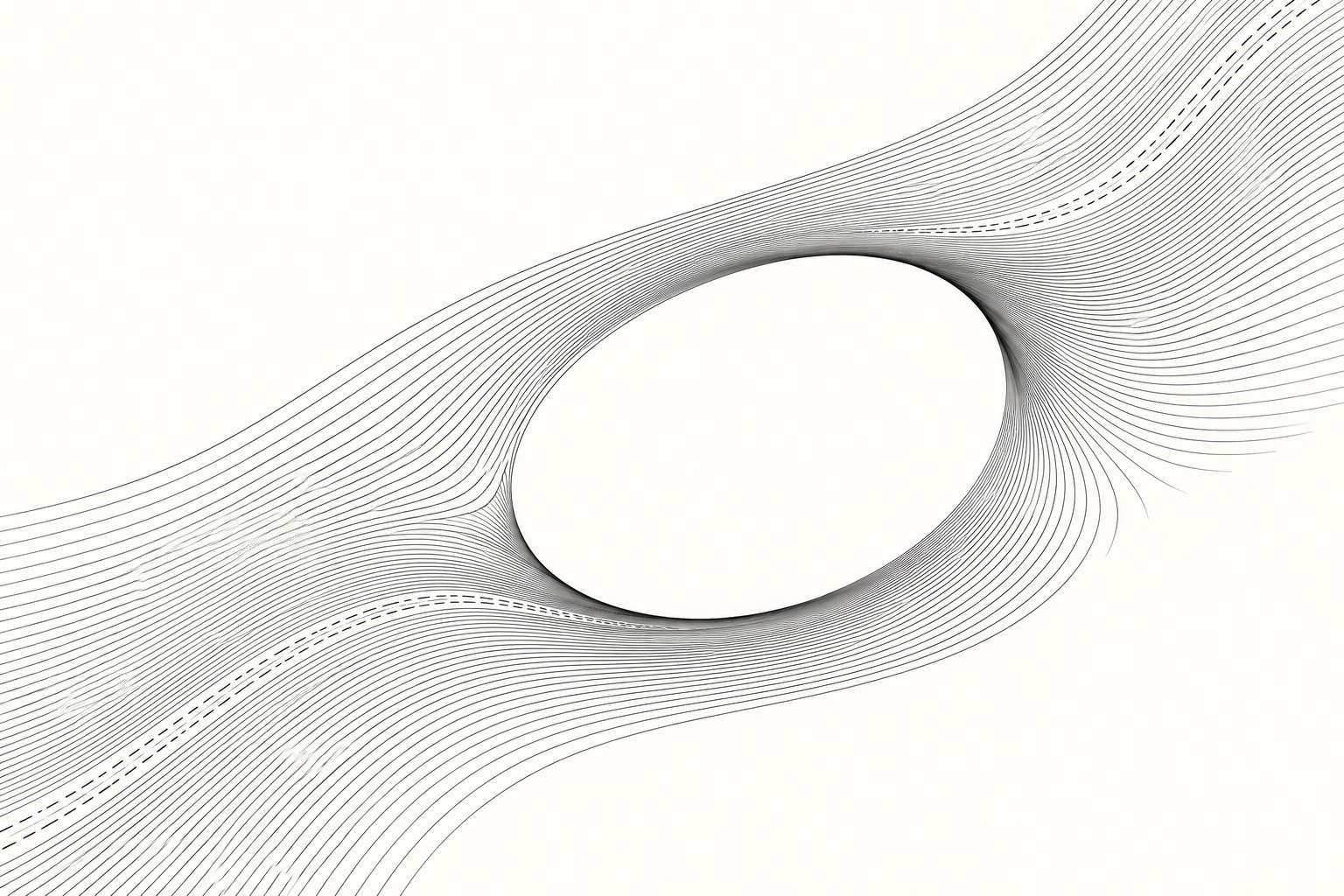
The monochrome study turns to repetition and negative space. Lines bend around an oval opening, while broken segments interrupt the flow. Small irregularities reveal the limits of the generated approximation; it is not the output of a documented mathematical rule. To develop it as a procedural artwork, write and test the line-placement rule instead of assuming the image proves one exists.
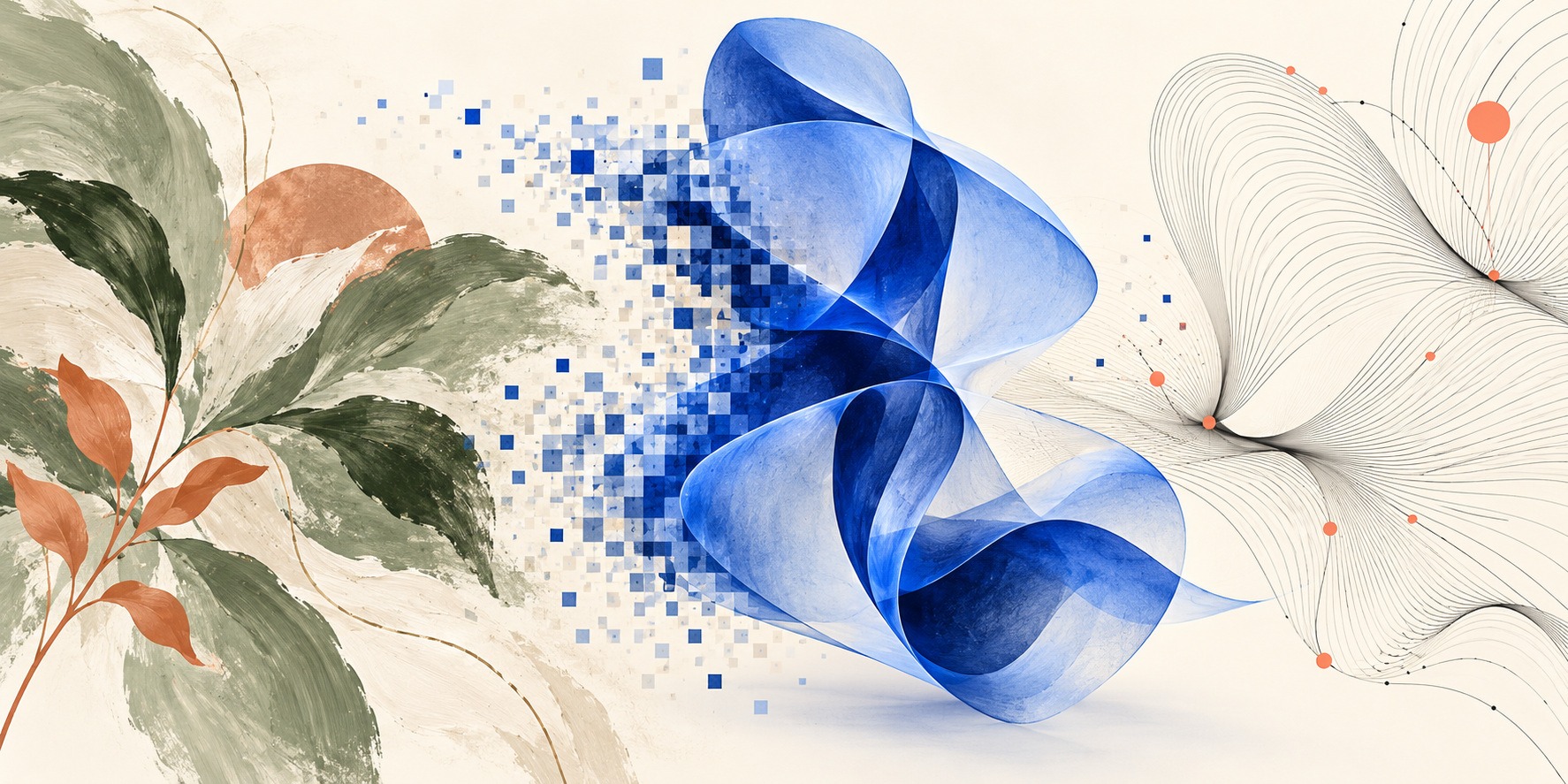
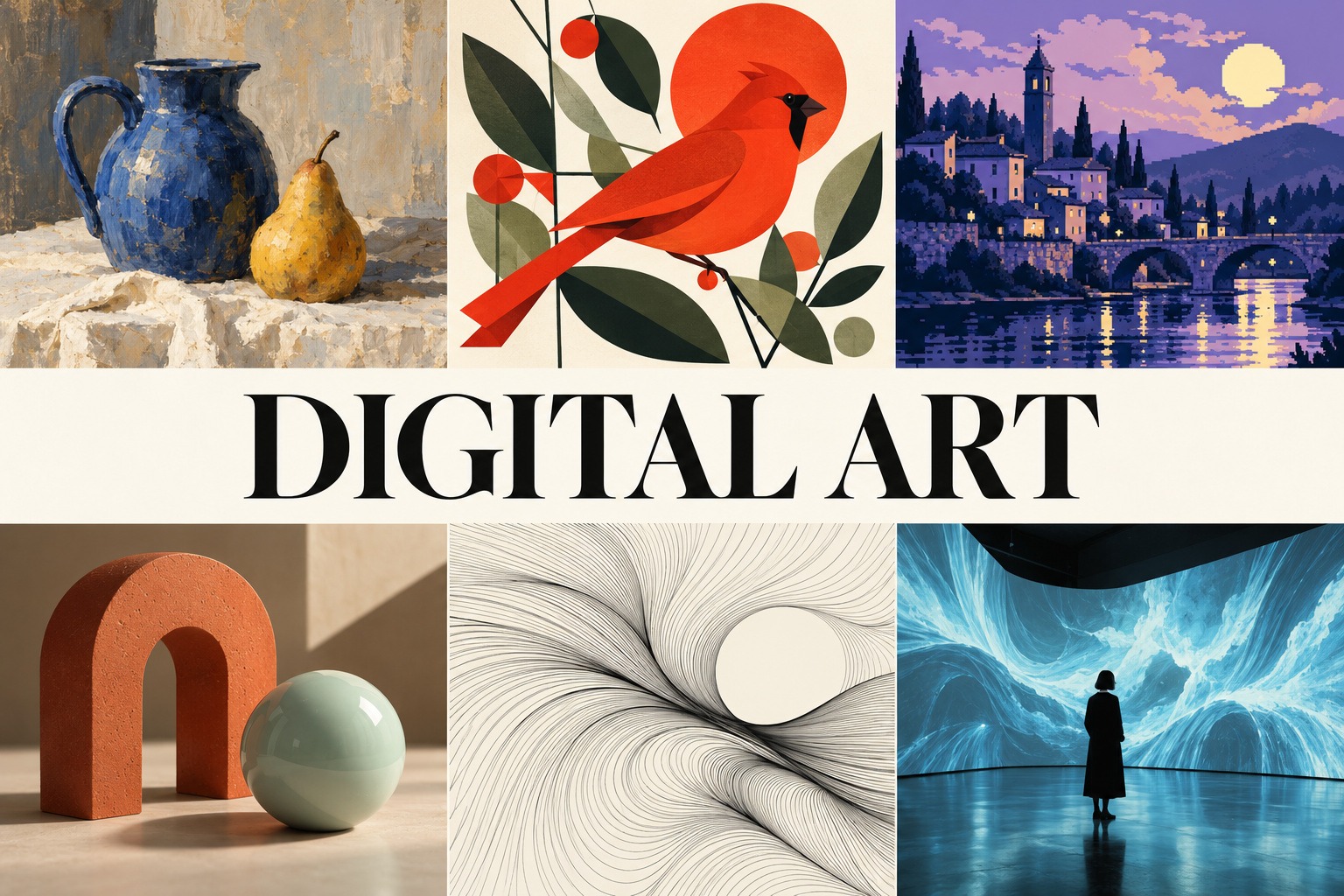
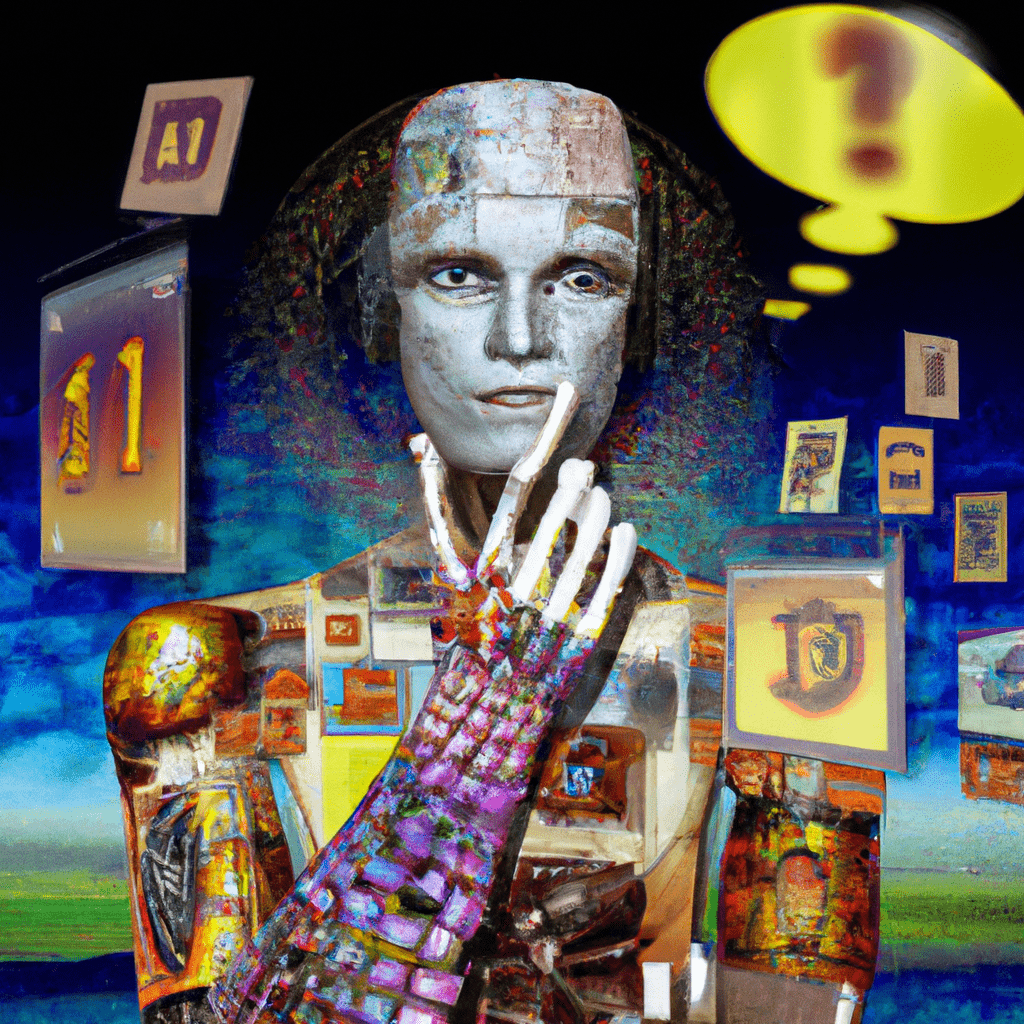
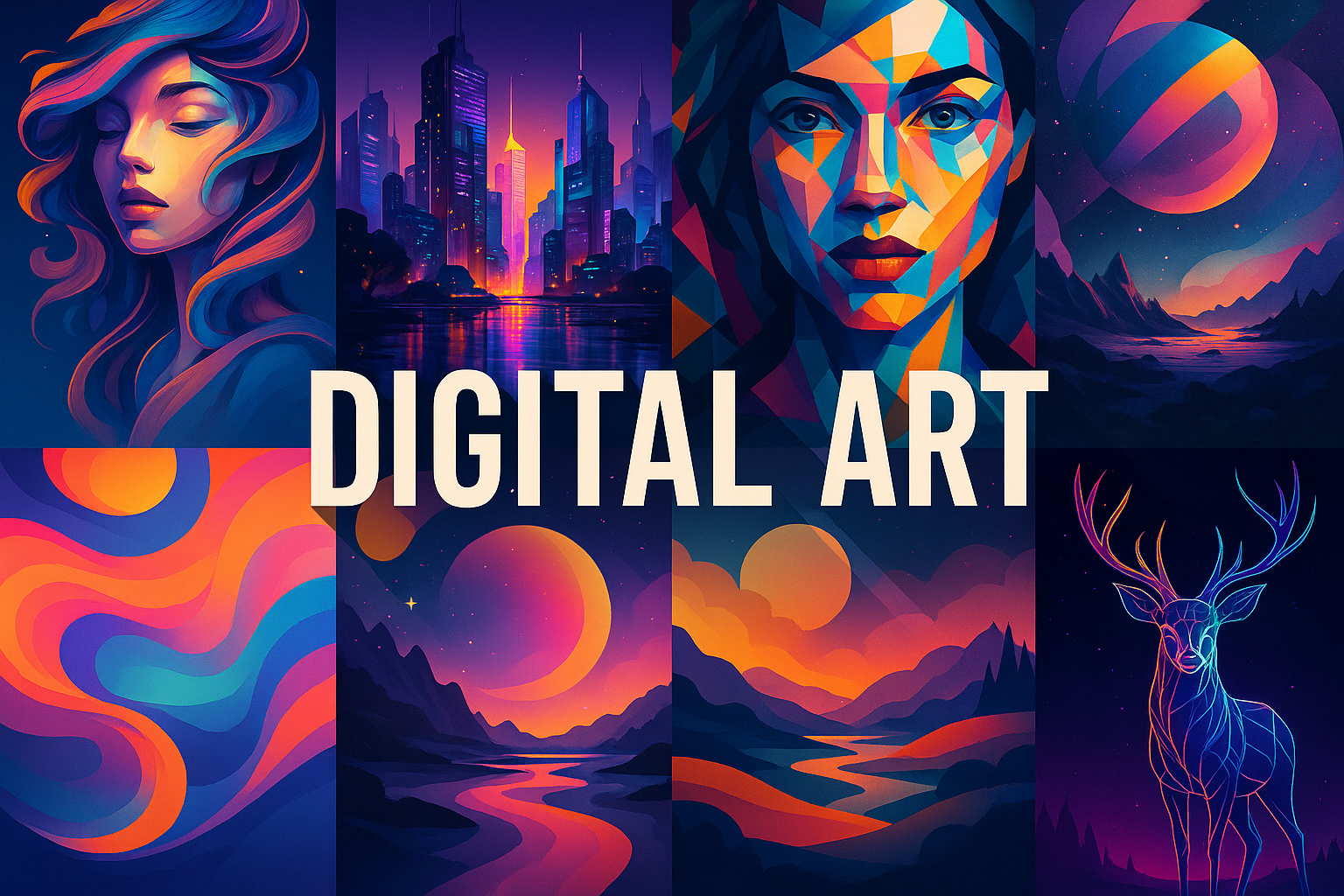
The new banner and centered-title collage bring contrasting visual approaches into one editorial set. The collage also suggests pixel, vector and immersive practices. Its installation scene is fictional and static. The earlier robot-themed image and colorful collage remain as archive examples of narrower interpretations, with their original files preserved.
A practical workflow across different media
Start with the experience you want to create: a printable image, a short loop, an editable illustration, a navigable scene or a responsive encounter. Write a one-sentence intention and choose a process that makes that intention possible. Software is a means of making decisions; its default brush, lighting preset or transition is not a substitute for one.
Make three small variations with one controlled difference. Change the edge treatment, palette, camera position or rule parameter, then compare the results at the size and speed the audience will experience. Keep an editable master and record source material, significant settings and versions. Export a separate delivery copy suited to its destination. A flattened image may be enough for a web illustration but cannot preserve the behavior of an interactive work.
Check the encounter as well as the file: readability on a small screen, useful alt text, captioned sound where relevant, keyboard access for interaction and an alternative to unnecessary motion. For installations, document dimensions, viewing distance, light conditions and what visitors need to do. These practical decisions can determine whether an idea survives contact with its audience.
Preservation, authorship and common misunderstandings
Digital files do not preserve themselves. Rhizome’s approach emphasizes the software environments required for a work to function again. Save source files and dependencies where possible, record the intended behavior and retain documentation of working versions. For a networked work, note which services or external inputs it relies on. A video recording can document an experience without replacing the functioning artwork. [7]
Digital does not mean automatically easy, infinitely detailed, immaterial or AI-generated. A physical print may originate in code; a digital painting may involve sustained manual drawing; an online work may depend on other people’s contributions. Likewise, electronic art, new media art, net art and post-internet art overlap with this field but are not interchangeable synonyms. Describe the actual process before applying a fashionable label.
For collection records, distinguish the artwork, its source project, its displayed version and any documentation. Record collaborators and source permissions rather than treating the tool as the sole author. Avoid presenting generated studies as historical works or assuming that a digital reproduction changes the medium of the original. The earlier entry’s associations with Van Gogh, Munch and Dalí did not establish digital artworks and have been removed.
About this guide and its illustrations
This researched guide is AI-authored for AOI under Penny Wraiter, AOI’s editorial persona. Museum and artist sources below document the historical examples. The five new images are original AI-generated teaching illustrations, not works by the referenced artists or demonstrations that the depicted production techniques were executed. The prompt workshop offers starting points for further studies; adapting a brief into actual drawing, code, animation or interaction requires the corresponding process.
A small poetic detour
Original words from the AOI studio.
Poetry
A line can leave the screen
and arrive as ink.
A room can learn a rhythm
from someone standing still.
One hand chooses the edge;
one rule changes the field.
A thousand possible versions
wait behind a single saved name.
Keep the quiet mark,
the useful accident,
the means to open it again.
Light is only the beginning.
The prompt workshop
Original creative exercises. These prompts create new illustrations, not documentary evidence.
Begin with painterly restraint
Create an original quiet digital-painting study of a cup and leafy twig on a windowsill after rain. Use warm gray, sage and cream, broad broken brush shapes, soft distant rooftops and a few clear foreground edges. Keep the composition readable at thumbnail size. No neon, robot, lettering or imitation of a named artist. If generated, label it as an AI interpretation of a painterly approach.
Compare three material behaviors
Create an original sculptural still-life concept with a folded ivory form, a small amber glass cube and a dark indigo rounded stone. Give each a clear silhouette, coherent contact shadow and distinct surface under one broad light. Leave generous space. No text or software interface. Label a generated result as a concept image; for an actual 3D artwork, build the scene and preserve the project.
Turn a rule into an experience
Design a small interactive line artwork: repeat black strokes on an ivory field and let their angle respond gently to pointer distance. Preserve an open off-center region. Provide keyboard control and a still mode. Keep the palette monochrome and motion slow. Write down the placement rule and test the behavior. If using an image generator, request only a labelled static concept illustration; it cannot deliver the interactive program.
People & works to explore
References discussed in this article. Consult the sources below for context.
Artists and practitioners
Vera Molnár — plotter and algorithmic practice [1].
Manfred Mohr — computational geometry [1].
David Em — constructed digital space [1].
Harold Cohen — AARON [3].
Douglas Davis — participatory internet art [4].
Rafael Lozano-Hemmer — interactive installations [6].
Paintings and other works
Interruptions (1969), Vera Molnár, plotter drawing [1].
P-62 (1970), Manfred Mohr [1].
Approach (1975), David Em, computer-generated image [1].
AARON, Harold Cohen, evolving software project [3].
The World’s First Collaborative Sentence (1994), Douglas Davis [4].
Pulse Room (2006), Rafael Lozano-Hemmer [6].
A smile from the studio
Jokes
I saved the final version. Then I saved the final version with better shadows. The folder is now a retrospective.
Sources and further exploration
[1] V&A: Digital art. Historical examples and the field’s range across processes and formats.
[3] Whitney: Harold Cohen: AARON. Software, plotters, painting machines and screen-based output.
[5] Whitney artport. Explore actual commissioned internet works rather than only screenshots.