
Digital color operation
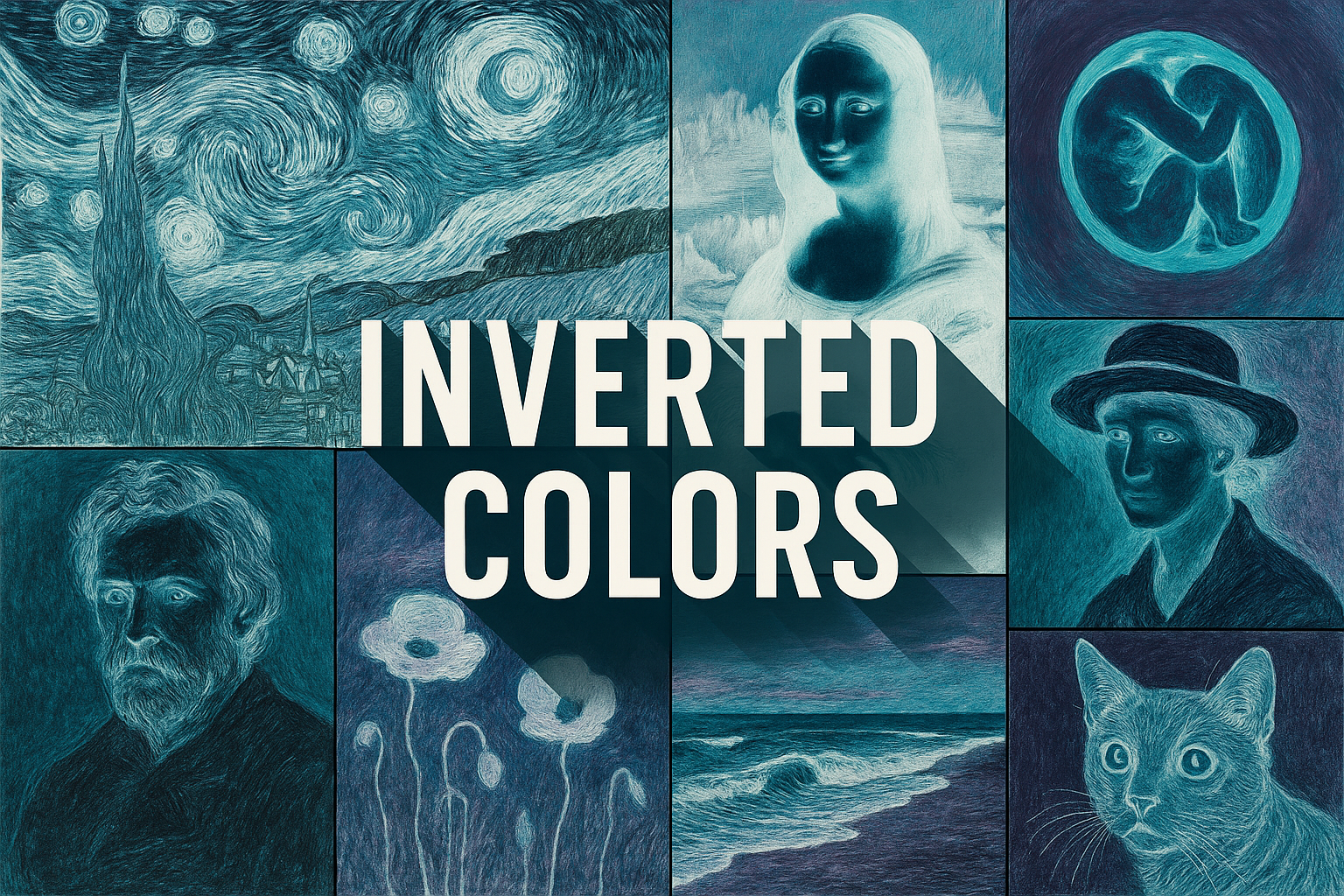
Color inversion reverses channel values and can radically change an image’s visual hierarchy. It is a precise operation with creative uses, not a single historical movement or a guarantee of a photographic negative effect.
A visual introduction
Select an image for a closer look. Use the thumbnails, arrow keys or a swipe to compare examples. Zoom in to inspect details, or share the image that inspires you.

Creative toolbox · take this style further
Choose an input and a destination. Search sends your words to the chosen site; Copy & open puts them on your clipboard to paste there.
Create with AI
Turn your chosen input into an image prompt or a new creative direction.
ChatGPT
Copy your input and paste it into a ChatGPT conversation or image request.
Copy & open ChatGPT (new tab)Claude · Anthropic
Develop an image prompt or explore the style in a new Claude conversation.
Copy & open Claude · Anthropic (new tab)Midjourney
Paste your input into the Imagine bar on the Create page.
Copy & open Midjourney (new tab)Adobe Firefly
Copy your input, open Firefly, and paste it into the prompt field.
Copy & open Adobe Firefly (new tab)Leonardo.Ai
Copy your input, open Leonardo, and paste it into the generation field.
Copy & open Leonardo.Ai (new tab)Image search
Find visual references. Short, concrete keywords usually work best.
Lexica
Search AI images and prompts using your selected input.
Search with this input Lexica (new tab)Pexels
Search the photo and video library. Short keywords often work best.
Search with this input Pexels (new tab)Pixabay
Search photos, illustrations and other images.
Search with this input Pixabay (new tab)Unsplash
Search photographs using the style name or your own keywords.
Search with this input Unsplash (new tab)Wikimedia Commons
Search photographs, artworks and historical images. Check each file for its source and reuse terms.
Search with this input Wikimedia Commons (new tab)Art & research
Explore artists, collections and the ideas behind a style.
Wikipedia
Search for background reading. A style may not have its own article.
Search with this input Wikipedia (new tab)WikiArt
Copy your input into WikiArt’s search to explore artists and artworks.
Copy & open WikiArt (new tab)Europeana
Paste your keywords into the search to explore European museum, library and archive collections.
Copy & open Europeana (new tab)Inspiration
Discover portfolios and visual ideas from creative communities.
Instagram hashtags
Search a hashtag made from your input: spaces and punctuation are removed. Instagram may require sign-in.
Search with this input Instagram hashtags (new tab)ArtStation
Paste your input into artwork search for concept art, environments, characters and visual development.
Copy & open ArtStation (new tab)Behance
Paste your input into project search for illustration, design and visual storytelling.
Copy & open Behance (new tab)A closer look
Light and dark exchange roles while familiar hues shift; reflective edges, pale backgrounds and saturated accents can become unexpectedly dominant.
Understand the operation before choosing the effect
Adobe describes RGB inversion as reversing each channel's brightness value. In an eight-bit channel, a value is replaced by 255 minus that value. The operation is therefore different from simply rotating hue or choosing a complementary paint mixture. The numerical representation and color workflow matter to the result.
Inverting a digital photograph is also different from accurately converting every kind of film negative. Adobe notes the complication of the orange mask in color-negative film. A creative negative-like image should not be confused with a calibrated photographic reproduction workflow.
Rebuild the hierarchy after inversion
A pale sky may become a large dark field; a small dark branch may become a bright line. Inspect where the eye goes first. The transformation can reveal structures that were easy to overlook, but it can also make an irrelevant corner dominate the composition.
Choose a subject with a useful arrangement of large shapes before applying the operation. Architecture, leaves against open space or a simple still life can make the reversal easy to study. Compare the original and inverted versions at thumbnail size, where the distribution of light and dark is clearer than fine detail.
Use masks with a reason
A partial inversion can separate a subject from its environment or make a reflection behave differently from the object it reflects. Define why the boundary exists. A careless mask creates halos and broken edges that look accidental rather than conceptually useful.
An adjustment layer provides a way to revisit the decision. Try a whole-image version first, then a selective version that changes only one meaningful region. Keep the underlying source available so that contrast and color can be evaluated without destructive changes.
Avoid confusing novelty with structure
Inversion often produces an immediate surprise. A strong image continues to work after that surprise passes. Look for rhythm, a focal point and a relationship between the transformed colors and the subject. If the result depends only on unfamiliar skin or foliage color, test whether a simpler composition would carry the idea further.
For generated imagery, describe the intended tonal relationships directly. Models may interpret “inverted colors” loosely instead of performing an exact mathematical operation. Use an image editor when a precise channel inversion is the actual requirement, and label a generated interpretation accordingly.
The prompt workshop
Original creative exercises. These prompts create new illustrations, not documentary evidence.
A tonal reversal study
Original conceptual image of bare branches against a nearly black field, luminous pale branches and a restrained unusual color palette, clear negative-like tonal reversal, no claim of exact channel processing.
One meaningful boundary
Surreal still life of a glass vessel whose reflection has reversed light-dark relationships while the surrounding tabletop remains natural, precise reflection boundary, spare composition and one focal point.
Compare positive and negative
A conceptual two-panel study of the same invented leaf arrangement, one natural-looking and one with reversed tonal hierarchy, identical composition and scale, broad readable shapes, no labels or scientific claims.
Sources and further exploration
Adobe Photoshop — the Invert operation and its limits for film negatives